
01
Drop one file in
Drag a single file into Resolve's scripts folder, restart, and open it from Workspace and Scripts. The illustrated manual shows you exactly where, on Mac and Windows.
Stop guessing what your time is worth.
It lives inside Resolve, keeps a separate clock, rate, and history for every project, and turns all of it into an invoice you can send. Bill hourly or quote flat, it does the math either way.
This is the window you get inside Resolve, running 60× fast. Put in what you quoted for a job, press Start, and watch the fee burn down.
And you almost always guess low. Hourly editors leak billable time. Flat rate editors never find out that the "good deal" paid $25 an hour. Either way the fix is not discipline or another app to remember. It is a clock that runs where you already work, and does the math you never see.
Set up takes about two minutes. After that it runs on its own.
Drag a single file into Resolve's scripts folder, restart, and open it from Workspace and Scripts. The illustrated manual shows you exactly where, on Mac and Windows.
Hourly rate, or a flat fee per project. It tracks on its own either way, switches projects when you do, and shows you the money as it happens.
One click gives you a clean spreadsheet of every session with dates, hours, rates, earnings, and notes. Flat jobs even get a line that tells you what to quote next time.
Everything here exists because it was a problem on a real job first.
Type in what you quoted and your real effective rate updates live. Set a target rate and a burn bar counts down the hours the fee buys, then prices the overrun in dollars when a job runs long.
Separate timer, rate, and history per Resolve project. Jump between jobs and it banks the old session and keeps tracking the new one, with no buttons to remember.
A live bar graph splits your hours by page: Edit, Color, Fairlight, Deliver and more. You find out whether grading is eating your margin. Render time counts too.
Step away and it stops itself, crediting time only up to your last action, then picks back up the moment you are working again. On the Free Edition you stop the session yourself.
The running session saves to disk every second. Crash, force quit, or close mid session and the next launch recovers every tracked second and carries on.
A wide, low window that tucks under your viewer instead of towering over the timeline. One click collapses it into a tiny floating widget, and on flat jobs the widget shows your live rate.
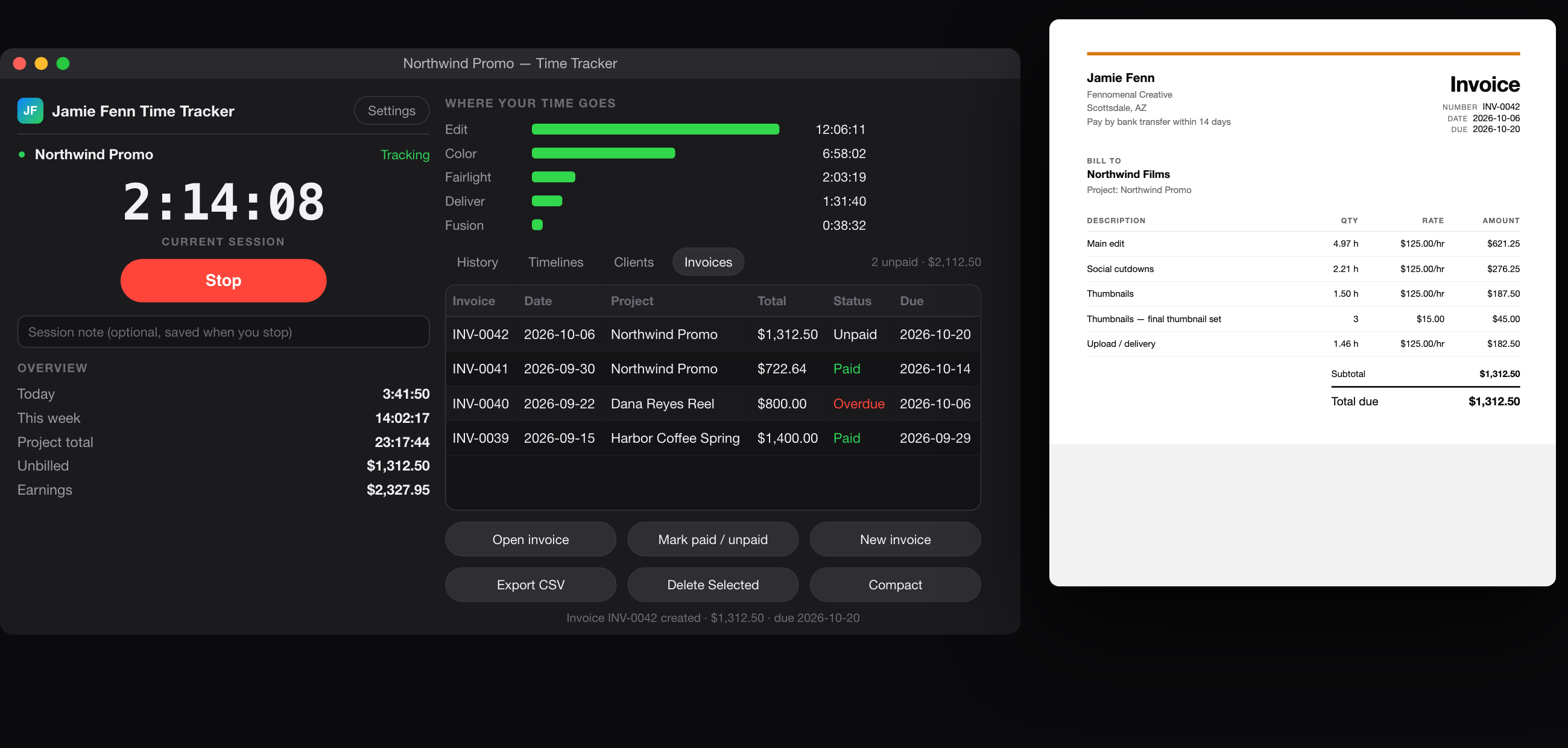
Since Resolve 19.1, Blackmagic limits on screen script windows to Studio. So it ships as two editions and you install the one that matches your Resolve. Both are in the box.
Resolve 19.1 and newer
Everything in the Free Edition, plus
Both editions are single file installs with illustrated manuals for Mac and Windows, plus a one page flat rate guide. No plugins, no Python, no accounts. Your data stays on your computer.
Knowing a job paid $52 an hour only helps if you know what to do about it. Pick the option that fits where you are.
The complete tool for knowing exactly what every project costs you in hours and pays you per hour.
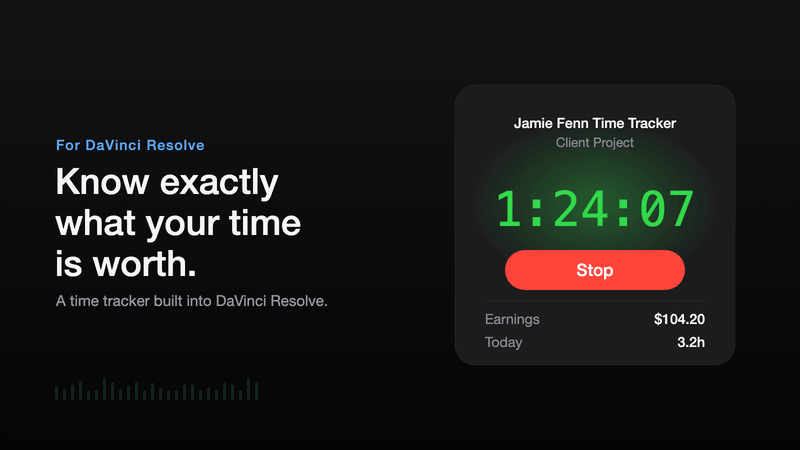
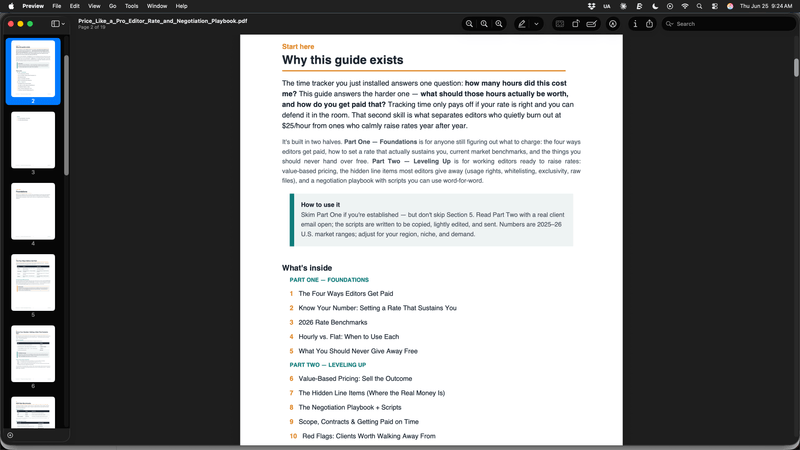
The tracker shows you when a job drops under your target rate. The 18 page playbook is how you set that target with confidence, and raise it.
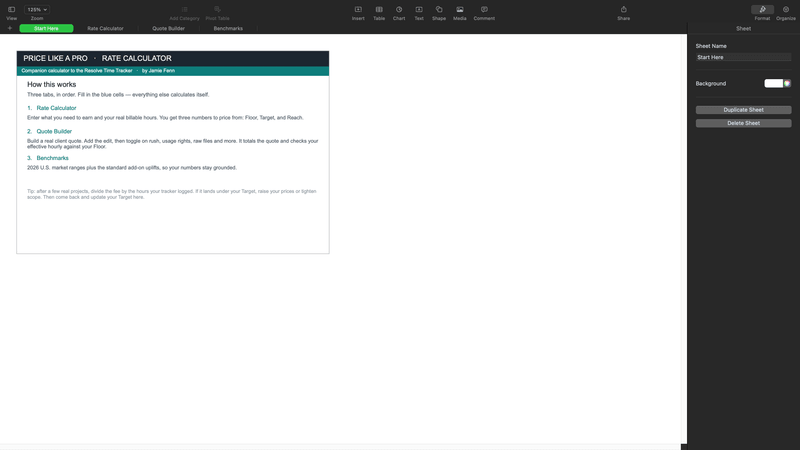
The full loop. The tracker shows what the last job really paid, the calculator prices the next one, and your rates only move in one direction.
Real comments from the launch video. Real names, real channels, unedited.
Your Time Tracker is absolutely brilliant! Super easy to set up in DR Studio... we can track our post-production so precisely. This gets our vote for DR Plugin of the Year.
 Work Cabin FilmsYouTube
I'm honored to have been a beta tester and can confirm that I was WAYYYY undercharging my clients. Super freaking useful!
 Conner JohnBeta tester - YouTube
Very cool concept. The moment you said it's not a subscription I didn't care the price.
 Odyssea VideoYouTube
FANTASTIC idea.
 Casey FarisYouTube
This is actually a genius idea. It solves a real problem in the market for videographers.
 Ethan RobbinsYouTube
I have a client I've been working with for years but I've been nervous about raising the rates. Now I can honestly track it and determine accordingly.
 Dmitri FilmsYouTube
The questions I get asked most about the tracker.
No. Both editions come with your purchase. The Free Edition runs on DaVinci Resolve free from 19.1 and handles the tracking, per project billing, and CSV invoices. The Studio Edition adds the live window, flat rate readouts, the per page graph, idle auto stop, and the compact widget, because Blackmagic limits on screen script windows to Studio.
That is now the tracker's favorite kind of job. Switch a project to flat fee, type in what you quoted, and it shows your real effective rate live while you work, counts down the hours the fee actually buys against your target rate, and prices the overrun in dollars when the job runs long. The export even tells you what to quote next time.
No. One payment, yours forever, and updates are free for life. Every update so far has shipped straight from customer feedback, and existing owners just re download from their purchase link.
About two minutes. Drag one file into Resolve's scripts folder, restart Resolve, and open it from Workspace and Scripts. The illustrated manual shows the exact folder on Mac and Windows. No plugins, no Python, no accounts.
The tracker watches activity on your machine while your Resolve session runs, so quick trips to reference footage or client email stay on the clock. Walk away and the idle stop banks the session by itself, crediting time only up to your last action. Taking a real break? One click on Stop.
No. Everything stays on your computer. There is no cloud, no sign in, and nothing is sent anywhere.
Find out where the hours actually go and what they pay, then charge for them. No subscription, no accounts, no nonsense. Just the tool, doing its job, every time you open Resolve.